

TL;DR
- •Workout calculators help convert vague fitness goals into precise, measurable targets based on reliable data.
- •They provide structured guidance for tracking progress in weight loss, strength, and endurance training, improving overall training effectiveness.
- •Using these tools consistently and adjusting based on trend data enhances workout planning and motivates sustained improvement.
Fitness planning involves a lot of guesswork, and guesswork tends to stall progress. That's exactly why use workout calculators matters more than most people realize. Whether you're trying to lose weight, build muscle, or improve endurance, calculators give you a structured starting point grounded in data rather than intuition. Many fitness enthusiasts skip these tools because they assume they're too complicated, too technical, or just not accurate enough to be worth using. This article addresses those concerns directly and shows you how workout calculators can make your training measurably more effective.
Key takeaways
| Point | Details |
|---|---|
| Calculators remove guesswork | They convert vague fitness goals into specific, measurable targets you can act on immediately. |
| Accuracy is good enough for progress | Tools like 1RM formulas are 93-97% accurate in the 3-8 rep range, which is more than sufficient for planning. |
| Trends matter more than exact numbers | Consistent use over 10-14 day cycles reveals progress patterns even when individual readings vary. |
| Combine tools with subjective feedback | Pairing calculator outputs with Rate of Perceived Exertion gives you smarter, safer training decisions. |
| Use results as starting points | Calculator outputs are baselines to adjust from, not fixed rules to follow without question. |
Why use workout calculators: types and what they solve
Before you can appreciate the benefits of workout calculators, you need to understand what's actually available and what each tool is designed to answer. There are several distinct categories, and each one addresses a different fitness question.
- Calorie burn calculators estimate how many calories you expend during specific activities based on your weight, duration, and exercise intensity.
- BMI calculators give you a quick body composition reference point using height and weight, useful as a broad health indicator.
- 1RM (one-rep max) calculators predict the maximum weight you could lift for a single rep based on a submaximal set, removing the need to attempt a dangerous true max lift.
- Heart rate zone calculators identify training intensity ranges based on your maximum heart rate, helping you target fat burning, aerobic capacity, or peak performance zones.
- Macro calculators break down your daily protein, carbohydrate, and fat targets based on your calorie goal and body composition objectives.
| Calculator type | Primary fitness question answered |
|---|---|
| Calorie burn | How much am I actually burning per session? |
| BMI | Where does my body composition currently stand? |
| 1RM | How much weight should I be lifting for strength gains? |
| Heart rate zones | Am I training at the right intensity for my goal? |
| Macro calculator | Am I eating the right balance of nutrients to support my goal? |
Each of these tools corresponds to a specific planning need. A runner focused on fat loss needs different calculators than a powerlifter working on strength. The fitness calculator benefits you get depend on choosing the right tool for the question you're actually trying to answer. Helpcalculate offers free access to BMI and calorie tools that cover many of these bases in one place.
How accurate are workout calculators
This is the question that makes most people hesitant. The honest answer is that workout calculators are approximate, and that's perfectly fine for practical training purposes.
Take 1RM prediction as an example. Prediction formulas are 93-97% accurate when you test within the 3-8 rep range. That means if your calculated max is 200 pounds, your actual max is likely somewhere between 194 and 206 pounds. That margin is smaller than the normal day-to-day variation in your strength output caused by sleep, stress, and hydration. In other words, the calculator is accurate enough to be genuinely useful.

The accuracy picture changes when you push outside that optimal rep range. Error rates climb to 8-15% for sets above 10 reps, which is why experienced lifters stick to lower rep ranges when they want reliable data. This isn't a flaw in the calculator. It's just knowing how to use the tool correctly.
| Calculator type | Typical accuracy range | Key limiting factor |
|---|---|---|
| 1RM (3-8 reps) | 93-97% | Rep range and fatigue level |
| Calorie burn | 85-90% | Individual metabolic variation |
| Heart rate zones | 80-90% | Max HR estimate accuracy |
| BMI | Reference only | Does not distinguish muscle from fat |
Calorie and heart rate estimates follow a similar pattern. Consistent use allows you to identify trends even if absolute numbers vary by 10-15%, which is what actually drives progress. You're not trying to get a lab-grade reading. You're trying to establish a consistent reference point so you can notice when things change. That distinction matters.
Pro Tip: Run any calculator on the same conditions each time: same time of day, same recent activity level, same hydration status. Consistency in how you input data is just as important as the formula itself.
Practical advantages of using workout calculators
The most direct answer to why use workout calculators comes down to one thing: they convert abstract goals into concrete numbers you can act on. "Get stronger" is not a plan. "Increase my working sets from 75% to 80% of my 1RM over six weeks" is a plan.
Here's where fitness calculator benefits show up most clearly in real training:
- Calorie targets become measurable. Instead of "eating less," you have a specific deficit to hit. Tracking at least 5 days per week improves weight loss by an average of 7 pounds compared to inconsistent tracking. The calculator gives you the number; consistency does the rest.
- Macro splits remove diet confusion. When you know you need 160g of protein, 200g of carbs, and 65g of fat per day, grocery shopping and meal prep become decision-free routines rather than guessing games.
- Loading percentages structure your lifting. Training at 70-85% of your 1RM for hypertrophy is a research-supported protocol. Without a 1RM estimate, you're eyeballing that range. With one, you're precise.
- Heart rate zones direct your cardio intensity. Instead of "moderate effort," you have a beats-per-minute range to stay in, which keeps you honest during easy sessions and prevents undertraining on hard ones.
Beyond the numbers themselves, calculators provide structure that makes workout plans easier to track and modify across 10-14 day cycles. That structure matters because it creates a feedback loop. You set a target, you track the result, and you adjust the next cycle based on actual data rather than how you felt that day.
Pro Tip: Use your macro calculator results as a floor for protein and a ceiling for total calories, not as rigid numbers that must be hit exactly. The goal is a consistent range, not perfection.
How to use workout calculators effectively
Knowing the tools exist is one thing. Using them well is another. Here's a practical approach you can apply regardless of your specific fitness goal.
-
Define your primary goal first. Fat loss, muscle gain, and endurance training all require different calculators and different metrics. Decide what you're optimizing for before you start calculating anything.
-
Run your baseline calculations before your first training week. Use a calorie burn calculator, a 1RM calculator for your main lifts, and a macro calculator to establish your starting targets. These become your Week 1 benchmarks.
-
Track actual outcomes for 10-14 days without changing your targets. Feedback loops on weight, performance, and energy over 10-14 days give you the data you need to make informed adjustments. Changing targets weekly based on one or two data points is too reactive.
-
Compare your real results to your calculated targets. If your weight isn't moving but you're hitting your calorie target, the calculator tells you where to look. Maybe your calorie estimate needs a 100-calorie downward adjustment. That's useful information.
-
Layer in Rate of Perceived Exertion alongside heart rate zone targets. RPE correlates strongly with physiological effort and adjusts for external factors like heat, fatigue, and stress that heart rate alone can't account for. Use both signals, not just one.
-
Recalculate your baselines every 6-8 weeks. As your body composition and fitness level change, your targets should change too. A 1RM that was accurate in January won't reflect your strength in March.
This process applies whether you're working on weight loss, hypertrophy, or aerobic fitness. The specific calculators you use will differ, but the cycle of baseline, track, compare, and adjust stays the same.
Common mistakes that undermine calculator results
The importance of workout calculators is undercut when people misuse them in predictable ways. Knowing these pitfalls ahead of time saves a lot of frustration.
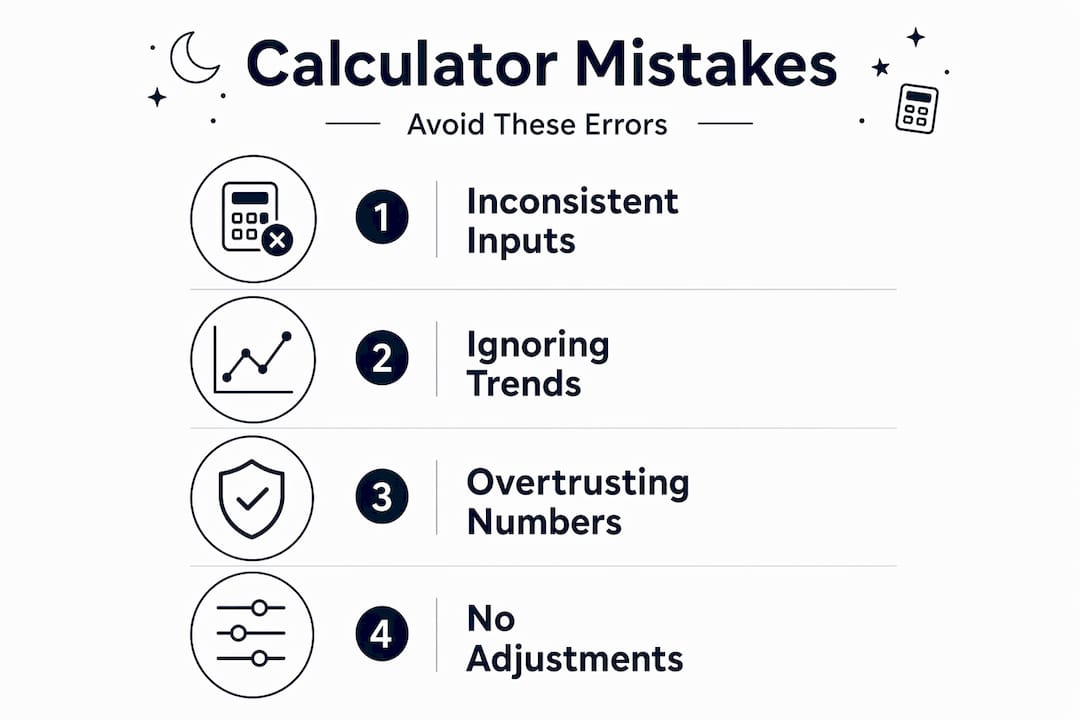
- Treating outputs as exact truths. Calculator outputs are starting points, not fixed prescriptions. If your calorie calculator says 2,200 calories but you're not losing weight after two weeks, the right response is to adjust the target, not assume the calculator failed.
- Relying exclusively on heart rate zones. Max heart rate estimates can be off by 10-20 bpm, which can put your entire zone structure in the wrong range. Factors like caffeine, altitude, heat, and fatigue can all skew readings on any given day.
- Adjusting targets too frequently. Changing your calorie target every few days based on daily weight fluctuations gives you no useful data. Weight naturally fluctuates 2-4 pounds within a week due to water retention, glycogen, and digestion.
- Ignoring lifestyle inputs that affect your physiology. Sleep deprivation raises cortisol and suppresses training adaptations. High stress increases calorie burn. These factors change what your "calculated" targets actually mean in practice.
"The best use of a fitness calculator is establishing a structured starting point, then iterating based on measured trends rather than chasing perfect numbers."
The workout calculator advantages you gain only compound when you use results consistently and adjust based on patterns, not daily noise. That's the discipline that separates people who get results from people who get frustrated.
My take on what workout calculators actually do for your training
I've spent years testing workout plans with and without structured calculation tools, and the difference is not subtle. Before I started using a 1RM calculator consistently, I was loading bars by feel, which sounds intuitive but is actually just inconsistency with extra steps. You end up training harder on good days and too easy on bad days. The calculator gave me a reference that didn't change based on my mood.
What I've found most overlooked is the motivational effect of having objective numbers. When you can see that your 1RM has gone from 185 to 215 pounds over 12 weeks, you have evidence that the plan is working. That evidence matters for adherence. Subjective feelings of progress are unreliable, and unreliable feedback kills motivation faster than hard training ever will.
My honest recommendation is to treat every calculator result as a well-informed hypothesis. Integrating RPE with objective calculator data creates a more complete picture than either tool alone. The calculator tells you what the math says. Your body tells you whether the math fits your current reality. You need both signals to make consistently good training decisions. That combination is what most people miss when they dismiss calculators as imprecise or overcomplicate them with too many inputs.
- Michael
Try Helpcalculate's free fitness tools
If you're ready to remove guesswork from your training, Helpcalculate gives you the tools to do it without paying for an app or signing up for anything.

Helpcalculate's health and fitness calculators include BMI, calorie, and body composition tools that align with exactly the practices covered in this article. They're free, easy to use, and designed for both beginners setting their first baseline and experienced athletes recalibrating their targets. You can run your calculations, track your results over a 10-14 day cycle, and come back to adjust as your fitness changes. No account required. No subscription. Just accurate, accessible tools that make your workout planning more informed and less frustrating.
Explore free fitness calculators
BMI, calories, TDEE, and more - run your baselines in the browser with no sign-up.
Health & Fitness calculators →FAQ
What are the main benefits of workout calculators?
Workout calculators convert vague fitness goals into specific, measurable targets and create a consistent reference point for tracking progress. The core benefit is structured decision-making based on data rather than intuition or guesswork.
How accurate are 1RM calculators?
1RM formulas are 93-97% accurate when based on sets in the 3-8 rep range, making them reliable enough for planning training loads. Accuracy drops significantly for sets above 10 reps.
Should I trust heart rate zone calculators completely?
No. Max heart rate estimates can be off by 10-20 bpm, and external factors like heat, caffeine, and fatigue affect readings. Pair heart rate zones with RPE for more reliable intensity management.
How often should I update my calculator inputs?
Recalculate your baselines every 6-8 weeks, or whenever your body weight changes by more than 5-10 pounds. Body composition changes affect calorie burn estimates, 1RM capacity, and macro targets, so updated inputs give you more accurate guidance.
Do workout calculators work for beginners?
Yes. Calorie information is more effective when customized to individual attributes like age, weight, and activity level, which is exactly what fitness calculators provide. Beginners benefit most from having a structured starting point rather than relying on generic advice.
Related calculators
Related posts
Health & Fitness
Types of health calculators: your complete guide
Discover the types of health calculators available today. This complete guide helps you choose the right tool for your health needs!
Health & Fitness
How to estimate body fat: Practical methods that work
Discover how to estimate body fat accurately with practical methods that reveal your true health progress. Take control of your fitness journey!
Health & Fitness
Understanding your basal metabolic rate for better results
Discover what is basal metabolic rate and how understanding it can optimize your weight and fitness goals for better results!