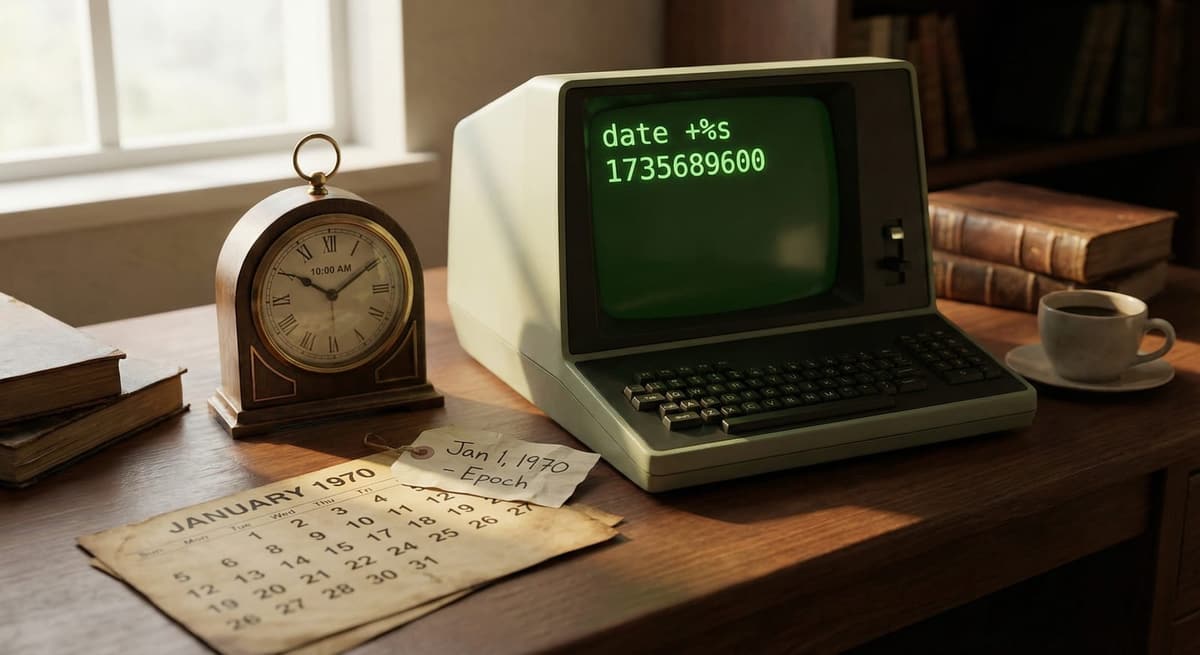
What is a Unix timestamp?
A Unix timestamp is the number of seconds that have elapsed since January 1, 1970 (00:00:00 UTC), also known as the Unix epoch. It is used by computers to store and track time in a simple numeric format that is easy to calculate and compare.
Why are Unix timestamps used?
Unix timestamps are widely used because they are:
- Simple (just a number)
- Timezone-independent (always based on UTC)
- Easy to compare and sort
- Efficient for storage in databases and APIs
They are commonly used in programming, databases, logging systems, and APIs.
How do I convert a Unix timestamp to a readable date?
To convert a Unix timestamp:
- Take the timestamp value (e.g., 1716153600)
- Interpret it as seconds since Jan 1, 1970 (UTC)
- Convert it into a human-readable date using a tool or programming language
Example: 1716153600 → May 19, 2024 (UTC)
You can use the converter on this page to instantly convert timestamps in both directions.
What is the difference between seconds and milliseconds in timestamps?
Unix timestamps can be stored in different units:
- Seconds (10 digits) → 1716153600
- Milliseconds (13 digits) → 1716153600000
Key difference:
- JavaScript typically uses milliseconds
- Most other systems use seconds
If your timestamp has 13 digits, divide by 1000 to convert to seconds.
Are Unix timestamps always in UTC?
Yes. Unix timestamps are always based on UTC (Coordinated Universal Time).
- They do not include timezone information
- Timezone is only applied when displaying the date
This ensures consistency across systems worldwide.
Can Unix timestamps be negative?
Yes. Negative Unix timestamps represent dates before January 1, 1970.
Example: -1 → December 31, 1969 (UTC)
This is useful for historical dates and certain database systems.
What is the 2038 problem?
The 2038 problem is a limitation in older 32-bit systems where Unix timestamps will overflow on:
January 19, 2038 at 03:14:07 UTC
This happens because the timestamp exceeds the maximum value a 32-bit signed integer can store.
Modern systems use 64-bit integers, which solve this issue.
Why is my Unix timestamp wrong?
Common causes include:
- Using milliseconds instead of seconds (or vice versa)
- Timezone confusion (timestamps are always UTC)
- Forgetting to multiply by 1000 in JavaScript
- Parsing errors in code
Always check the number of digits:
- 10 digits = seconds
- 13 digits = milliseconds
What are Unix timestamps used for in real applications?
Unix timestamps are commonly used in:
- APIs (sending and receiving time data)
- Databases (sorting and indexing records)
- Logging systems (tracking events)
- Authentication (JWT expiration times)
- Scheduling systems
They provide a consistent and efficient way to handle time across systems.
What is the difference between Unix time and ISO 8601?
- Unix timestamp → Numeric format (e.g., 1716153600)
- ISO 8601 → Human-readable format (e.g., 2024-05-19T21:20:00Z for the same instant as 1716153600)
Unix timestamps are better for computation, while ISO 8601 is better for readability.
Does daylight saving time affect Unix timestamps?
No. Unix timestamps are based entirely on UTC, so they are not affected by daylight saving time (DST).
DST only affects how timestamps are displayed in local timezones.
How accurate are Unix timestamps?
Standard Unix timestamps are accurate to seconds, but they can also be stored in:
- Milliseconds
- Microseconds
- Nanoseconds
Higher precision is used in systems that require exact timing, such as financial systems or high-performance computing.