

TL;DR
- •Compound interest earns interest on both the principal and accumulated interest, outperforming simple interest over time.
- •Accurate calculations require four key variables: principal, interest rate, compounding frequency, and time period.
- •Using tools like online calculators and Excel helps verify results and understand how variables influence growth.
Key Takeaways
| Point | Details |
|---|---|
| Compound vs. simple interest | Understanding the difference helps you maximize savings and investment returns. |
| Essential calculation tools | Gathering the right values and using calculators ensures accuracy in compound interest calculations. |
| Step-by-step method | Following a clear process makes calculating compound interest straightforward, whether manually or digitally. |
| Avoiding mistakes | Double-check your calculation steps and use verification tools to ensure your results are correct. |
| Ongoing learning | Using online calculators and experimenting with your own numbers builds confidence in compound interest mastery. |
What is compound interest and why does it matter?
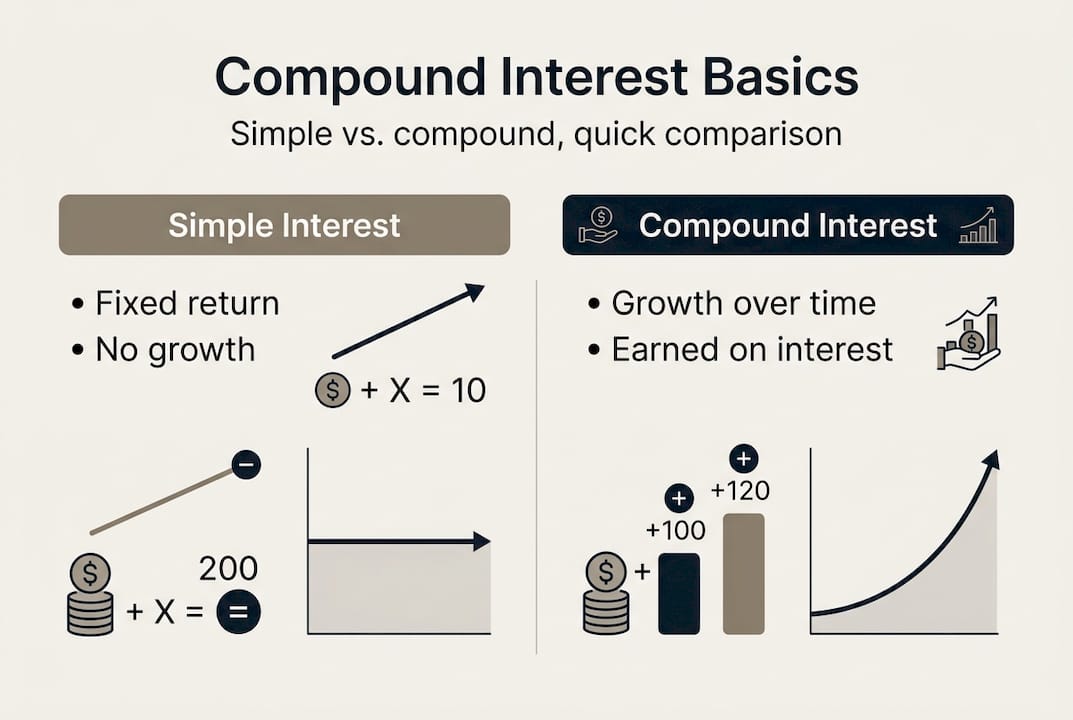
Compound interest is the process of earning interest not just on your original deposit (called the principal) but also on the interest you have already earned. In other words, your interest earns interest. Over time, this creates an accelerating growth pattern that significantly outperforms simple interest.
Simple interest, by contrast, is calculated only on the principal. If you deposit $1,000 at a 5% annual simple interest rate, you earn $50 every single year, no more. With compound interest at the same rate, your second year's interest is calculated on $1,050, so you earn $52.50 instead. That difference feels small at first. But over 30 years, simple interest gives you $2,500 in earnings, while compound interest grows your account to roughly $4,322. That is a difference of nearly $1,822 from the exact same initial deposit.
Simple vs. compound interest comparison
| Scenario | $1,000 at 5% for 30 years | Total Value |
|---|---|---|
| Simple interest | $50/year x 30 = $1,500 earned | $2,500 |
| Compound interest (annual) | Growth accelerates each year | $4,322 |
| Compound interest (monthly) | More frequent compounding | $4,467 |
As you can see, compounding frequency matters too. Monthly compounding consistently outperforms annual compounding because interest is added to your balance more often.
Compound interest applies in several financial situations you will encounter throughout your life:
- •Savings accounts: Banks pay compound interest on deposits, often compounded daily or monthly.
- •Investment accounts: Stocks and mutual funds reinvest returns, creating a compounding effect over time.
- •Retirement accounts: 401(k) and IRA accounts use compounding to grow your contributions significantly over decades.
- •Loans and credit cards: Compound interest works against you here. Credit card debt compounds daily on your outstanding balance, making unpaid balances grow quickly.
- •Mortgages: Although mortgages use amortization, the underlying interest structure is compound in nature.
Understanding the formula for compound interest gives you the ability to evaluate any financial product with confidence. According to a widely cited explanation, you can compute earned interest by calculating the future value A and subtracting the principal P, expressed as Interest = A minus P. This means you are not guessing; you are calculating a precise number.
The broader set of finance calculators available online can help you put these concepts to work across different financial decisions, from savings planning to evaluating loan offers.
Gathering your essentials: What you need before calculation
Before you start any calculation, you need four specific pieces of information. Missing even one will produce an incorrect result. These are the building blocks of every compound interest formula.
The four required values
| Variable | What it means | Example value |
|---|---|---|
| Principal (P) | The initial amount deposited or borrowed | $5,000 |
| Annual interest rate ® | The yearly interest rate as a decimal | 6% = 0.06 |
| Compounding frequency (n) | How often interest is added per year | 12 (monthly) |
| Time period (t) | The number of years the money grows | 10 years |
Tools for calculating compound interest
- •Pen and paper: Use the formula directly. Best for learning, not speed.
- •Spreadsheet software: Excel and Google Sheets both support compound interest formulas. According to DataCamp, you can compute compound growth in Excel using the formula "=Principal*(1+Rate/Periods)^(Periods*Years)` or the built-in FV function, which handles the heavy lifting for you.
- •Online calculators: Fast, free, and accurate. You simply enter your four values and get instant results.
- •Finance widgets: Embeddable tools available through platforms like HelpCalculate finance widgets let you run quick calculations directly from a webpage.
- •Principal: This is your starting point. Every dollar of interest you earn ultimately traces back to this number.
- •Rate: Always convert the percentage to a decimal before using it in the formula. Divide by 100, so 6% becomes 0.06.
- •Compounding frequency: Annual = 1, semi-annual = 2, quarterly = 4, monthly = 12, daily = 365. The higher the frequency, the more interest accumulates.
- •Time: Measured in years. If you are calculating for 18 months, use 1.5 years.
Pro Tip: If you are new to compound interest, start with an online calculator to see the results first. Once you understand the output, work through the manual formula so the numbers make intuitive sense. The compound interest widget from HelpCalculate.com lets you adjust variables in real time and instantly see how changes in rate or time affect your outcome.
Knowing your variables and having the right tool ready makes the actual calculation process straightforward. Let's move into the execution phase.
Step-by-step method to calculate compound interest
The standard compound interest formula is:
A = P(1 + r/n)^(nt)
Where:
Manual calculation steps
- •Write down your four values. For example: P = $5,000, r = 0.06, n = 12, t = 10.
- •Divide the rate by the compounding frequency. 0.06 / 12 = 0.005.
- •Add 1 to that result. 1 + 0.005 = 1.005.
- •Multiply the compounding frequency by the time period. 12 x 10 = 120.
- •Raise the result from Step 3 to the power of Step 4. 1.005^120 = approximately 1.8194.
- •Multiply by the principal. $5,000 x 1.8194 = approximately $9,097.
- •Subtract the principal to find the interest earned. As explained in the formula, Interest = A minus P, so $9,097 minus $5,000 = $4,097 earned in interest over 10 years.

Calculating for different compounding intervals
The compounding frequency dramatically affects your results. Here is what changes with $5,000 at 6% over 10 years depending on frequency:
| Compounding frequency | n value | Future value (A) |
|---|---|---|
| Annually | 1 | $8,954 |
| Quarterly | 4 | $9,070 |
| Monthly | 12 | $9,097 |
| Daily | 365 | $9,110 |
Notice that moving from annual to monthly compounding adds about $143. It may seem modest, but on larger principal amounts or over longer time periods, this gap grows substantially.
Digital calculation using Excel
In Excel, use the FV function for quick results. The syntax is: =FV(rate/periods, periods*years, 0, -principal). For our example: =FV(0.06/12, 12*10, 0, -5000). Excel returns $9,096.98, confirming the manual calculation. Alternatively, Excel’s compound formula =5000*(1+0.06/12)^(12*10) produces the same result directly.
Pro Tip: Always calculate compound interest using at least two methods. Run the formula manually or in Excel, then verify with the HelpCalculate compound interest calculator. If both results match, you can be confident in your number. This is especially important when comparing loan offers, where even a small calculation error could cost you money. For loan scenarios, the loan payment calculator provides additional context on how compound interest affects your monthly obligations.
- •A = the future value of the investment or loan
- •P = the principal amount
- •r = the annual interest rate (as a decimal)
- •n = the number of times interest compounds per year
- •t = the time the money is invested or borrowed (in years)
Troubleshooting common mistakes and verifying your result
Even with a clear formula and good tools, calculation errors happen. Knowing the most common mistakes helps you catch them before they lead to poor financial decisions.
Frequent errors to watch for
- •Not converting the rate to a decimal: Using 6 instead of 0.06 in the formula will produce a wildly incorrect result. Always divide the percentage by 100 before calculating.
- •Confusing the compounding frequency: Using n = 1 when your account compounds monthly (n = 12) understates your earnings or overstates your loan cost significantly.
- •Misidentifying the time period: Entering months instead of years, or using 5 years when the term is 60 months, will skew your answer. Always convert to years.
- •Forgetting to subtract the principal: Many beginners report A as the interest earned. Remember, A is the total future value. Interest equals A minus P, not A alone.
- •Raising to the wrong exponent: The exponent is n multiplied by t, not n plus t. For monthly compounding over 10 years, the exponent is 120, not 22.
- •Ignoring additional contributions: The basic formula assumes a single lump sum deposit. If you make regular monthly contributions, you need a more advanced formula or a dedicated calculator to get accurate results.
How to verify your calculation
Verification steps to follow:
- Run the formula manually using a scientific calculator or by hand.
- Enter the same values into Excel using the FV function.
- Compare both results. If they match, your calculation is correct.
- If they differ, identify which input value was entered incorrectly and recalculate.
- For investments with ongoing contributions or withdrawals, use a tool like the ROI calculator to capture the full picture.
One practical check is to estimate your result before you calculate. A rough rule is the Rule of 72: divide 72 by the annual interest rate to estimate how many years it takes to double your money. At 6%, 72 / 6 = 12 years to double. If your 10-year calculation shows your money nearly doubled at 6%, something is off. This quick mental check has saved many beginners from costly errors.
For ongoing practice and verification, the free calculators available at HelpCalculate.com cover a full range of financial scenarios, making it easy to test your results anytime.
A smarter approach to compound interest: Lessons for beginners
Most people approach compound interest as a formula to memorize. We think that is the wrong starting point. The formula matters less than building an intuitive sense for how compound interest behaves over time.
The most effective thing you can do early on is experiment with variables using a live calculator. Adjust the time period from 10 to 30 years and watch what happens to your balance. Then adjust the rate from 4% to 7%. The visual impact of seeing your balance jump by thousands of dollars based on a single percentage point is far more motivating than memorizing A = P(1 + r/n)^(nt).
A common misconception among beginners is that compounding works fast. It does not, at least not at first. The real power of compounding shows up in the later years of a long investment horizon. Many beginners give up too soon because the early growth feels underwhelming. The compound interest calculator at HelpCalculate.com can show you a year-by-year breakdown, which makes this slow-then-accelerating pattern visible and easy to understand.
Finally, watch out for the idea that compound interest will make you wealthy overnight. Compounding rewards patience and consistency, not speed. Even small contributions compounded over decades can produce substantial results, but the timeline is measured in years, not months.
Next steps: Free tools to make compound interest easier
Calculating compound interest by hand is a valuable skill, but you do not need to do it manually every time.
HelpCalculate.com provides a free compound interest calculator that handles every calculation covered in this guide in seconds. Enter your principal, rate, compounding frequency, and time period, and the tool delivers your future value and total interest earned instantly. You can also explore the full suite of finance calculators covering loans, ROI, mortgage affordability, and more. For developers and educators, finance widgets are available for embedding these tools directly into your own site. These resources are free, accurate, and built to support better financial decisions at every stage.

FAQ
What formula is used to calculate compound interest?
The standard formula is A = P(1 + r/n)^(nt), where P is the principal, r is the annual interest rate as a decimal, n is the compounding frequency per year, and t is the time in years. In Excel, the same result can be reached with the FV function formula using =Principal*(1+Rate/Periods)^(Periods*Years).
How can I check my compound interest calculation for errors?
Run the calculation using both the manual formula and a digital tool, then compare the results. As a baseline check, remember that interest equals A minus P, so if your reported interest seems equal to your total future value, you likely forgot to subtract the principal.
Are online calculators reliable for compound interest calculations?
Yes, reputable online calculators are accurate as long as you enter the correct values. Always verify by checking that your inputs match the four required variables: principal, rate, compounding frequency, and time period.
Can Excel handle compound interest calculations for multiple periods?
Excel’s built-in formulas and the FV function allow precise compound interest calculations for any number of periods. The Excel compound formula =Principal*(1+Rate/Periods)^(Periods*Years) works reliably across any combination of compounding intervals and time horizons.